What changes for a baby
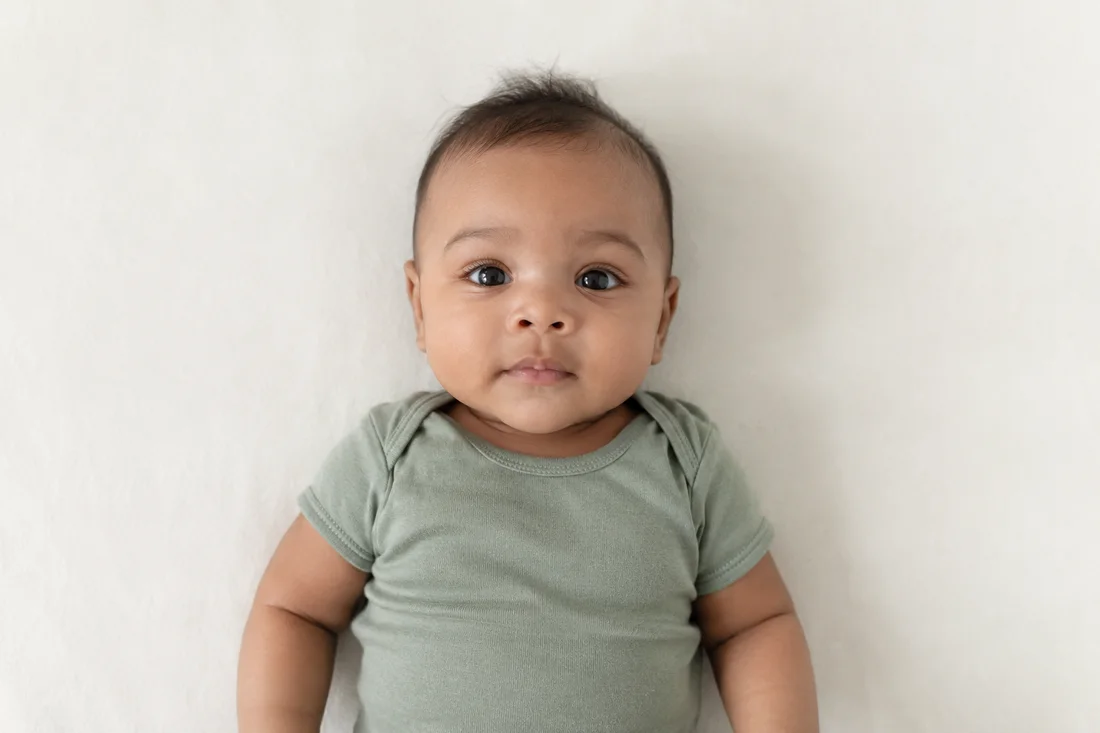
US guidance allows a baby’s eyes to be not entirely open. Other children need open eyes. The face must be fully visible and face the camera, without another person in the image.
A plain white or off-white sheet can provide the background. The State Department also describes covering a car seat for the photo. Avoid facial shadows and anything obscuring the face.
Set up before bringing your baby into the frame
Merodim tip: have one adult watch the baby while another handles the camera. Choose a safe, supported position appropriate for your child. Do not prop up a baby who cannot sit independently or place an unsecured phone above them.
Keep the session short. Prepare the camera, space and light first, then choose a settled moment. If you cannot take the photo safely at home, ask a local photographer about their infant setup before visiting.
Choose the clearest frame
Merodim tip: take a few separate photographs, pause and compare them. Open your preferred camera original at full size. Look closely at the eyes, cheeks and hair edges for movement blur. A photo that looks sharp as a phone thumbnail may look soft when enlarged.
Keep space around the head and shoulders. Do not crop tightly in the phone before uploading. It is easier to choose a suitable frame when the original contains the needed margins. Keep the original even after preparing a copy.
Preview and choose your prints
Select US baby passport in Merodim. Review the preview before payment, including the full head and the surrounding margins. If the source needs another attempt, retake it before ordering.
A final digital file and print layouts cost $9.99. Four delivered photos with the digital file cost $19.99, with free standard USPS shipping in the United States. Six prints cost $21.99. Order quantity is separate from what an application asks you to submit.
For printing yourself, use the paper size named by the layout and turn off automatic scaling. Measure a finished photo before cutting the rest of the sheet.
Problems and practical fixes.
Use the issue you can see to choose your next step.
- The clearest face is too tightly cropped
- Return to the camera original or take another photo with more space around the head.
- The head moved during the photograph
- Choose a sharper frame or try again during a settled moment. Enlarging the file will not recover detail lost to movement.
- The printed photos measure too small
- Check that the paper and layout match and that the printer did not shrink the whole sheet.
Check the instructions for your application.
Reviewed October 8, 2026. Requirements above are attributed to the issuing authority; Merodim tips are practical preparation advice.
US Department of State child photo examples ↗