
Read the upload limit
Copy the maximum file size from your application's instructions. A 200 KB limit and a 200-pixel width are different requirements.
Choose your file-size limit. Compare the detail, then download a smaller JPEG with the same dimensions.
JPG, PNG or WebP · Up to 24 MB
Choose a photo, set a limit in KB and check the result beside your original.
Your original stays untouchedSee the original beside your compressed copy. You decide whether the detail holds up.
Need document-specific framing? Prepare a US passport photo. For an online renewal, follow the original-photo instructions.
Copy the maximum file size from your application's instructions. A 200 KB limit and a 200-pixel width are different requirements.
Use 100, 200, 240 or 500 KB, or enter a custom limit. The tool leaves 2% headroom and stops if meeting it would require compression below its quality floor.
Compare both versions, then open the downloaded copy at full size. Keep it only if the fine details remain clear and it meets your application's other conditions.
Compression reduces storage size by changing how the image is encoded. Here, a 1200 × 1200 original remains 1200 × 1200. The tool never silently shrinks it to reach a smaller KB target. The result shows its exact byte count, so you can check the limit yourself.
One KB here means 1,000 bytes. Some upload portals display sizes using 1,024-byte units. Leaving room below the stated maximum helps avoid a result that is rounded down on one screen but rejected on another.
A detailed, high-resolution photograph can need more data than a smooth image of the same dimensions. This is why two JPEGs with identical widths and heights can have very different file sizes. No compressor can promise every target without sacrificing information.
If the tool stops, try a higher limit only if the portal allows it. Otherwise, check whether you may reduce the dimensions, then resize a copy and return here. Do not reduce below the required resolution just to clear an upload error.
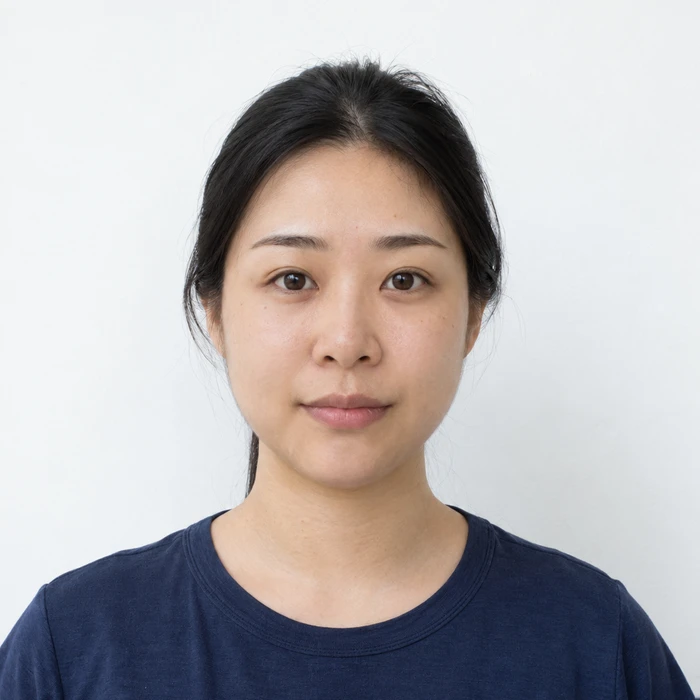
Look for blocky edges around the hair, smeared eyelashes and uneven patches on the skin. Compare the downloaded copy at full size with the original. The side-by-side preview is useful, but a small preview can conceal compression damage.
A successful export means the technical file-size target was met. It does not mean an authority has accepted the photo. Applications may set additional limits on compression, color, pose or editing. For US online passport renewal, follow the original-image upload instructions rather than assuming a small square JPEG is required.
A file tool handles pixels and bytes. Merodim’s photo preparation flow helps with document-specific framing and provides digital files and print layouts.
For a US passport, preview your photo before buying the finished file for $9.99 or four prints with a digital copy for $19.99. For another application, check its requirements and supported preparation route first.
Those targets are available. Whether a particular photo can meet them depends on its dimensions and detail. The tool stops if it cannot meet the target within its compression range, instead of silently shrinking the image.
JPEG compression is lossy. The tool searches for a high-quality setting that fits, but some detail may change. Compare the downloaded file with your original before using it.
No. It preserves the pixel dimensions and complete frame. Transparent PNG and WebP files are rejected because exporting them to JPEG would require filling transparent areas.
Yes. File compression and its JPEG download are free. Merodim's document-specific photo preparation and final photo packages are separate paid services with a free preview.